Fixed Options for AON (Point to Point) fiber connections corrected in fiber details
Home Network:
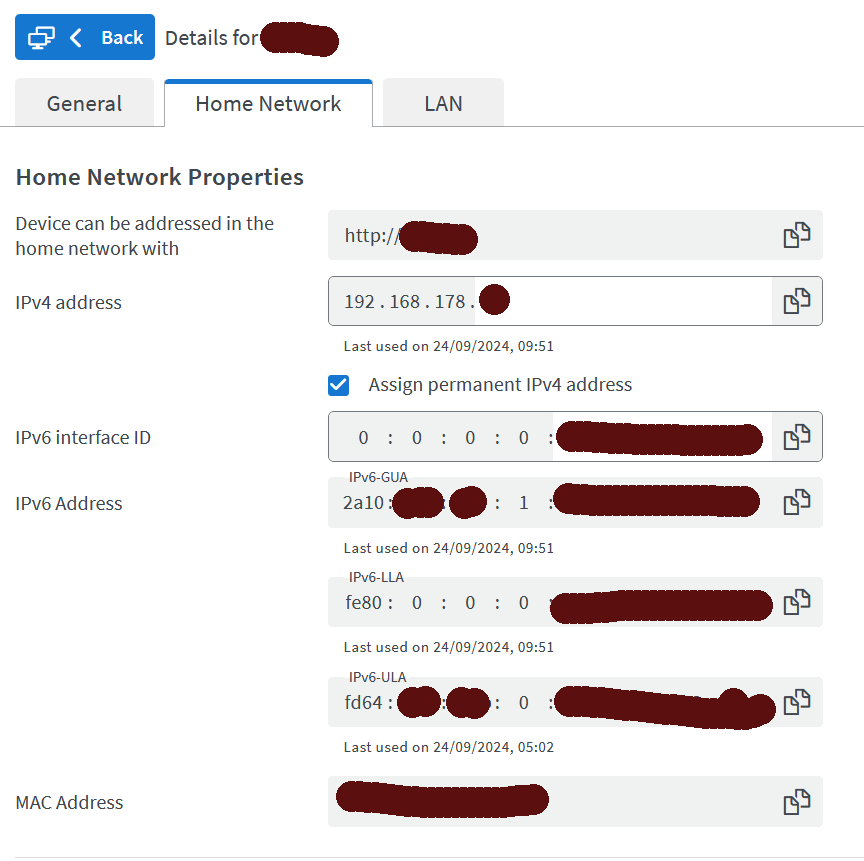
Fixed Erroneous update function for a FRITZ!Powerline device under “Network Connections” in the device details
Improvements of FRITZ!OS 07.90-115658
Internet:
Fixed For WireGuard® LAN-LAN linkups, DNS name resolution and the assignment of AAAA records did not always work under IPv6
Fixed In the IPv6 settings, the IPv6 prefix of the home network was not always displayed under “used prefixes”
Fixed On PCP connections, the display of “IPv4 address in the internet” was missing in the connection details in the Online Monitor
Fixed The date format was not always adjusted in the Online Monitor when the language was set to “English”
Fixed When a FRITZ!Box was connected to an external modem or an external router, the “Port sharing” line was not hidden in the Online Monitor when the existing internet connection was shared (IP client mode)
Fixed When a FRITZ!Box was connected to an external modem, the displays for IPv6 prefix and VPN connections were not hidden in the Online Monitor when the existing internet connection was shared (IP client mode)
Wi-Fi:
Fixed After a restart or settings change, the WLAN LED indicated that Wi-Fi was ready too early
Fixed When Wi-Fi was switched on and off, checking the 5-GHz band for radar (DFS) sometimes resulted in a restart
Mesh:
Fixed In rare cases, the Mesh function was not enabled when a FRITZ!Repeater was connected by pressing a button
Home Network:
Fixed Erroneous update function for a FRITZ!Powerline device under “Network Connections” in the device details
System:
Improved Better interoperability with the upcoming version of Chrome
Improved Corrected details in the user interface
Improvements of FRITZ!OS within FRITZ!Labor 7.90-115257
Internet:
Fixed After enabling DNS over TLS (DoT), manually configured DNS servers without DoT were not visible in the Connection Details
Wi-Fi:
Fixed When Wi-Fi was switched on and off, checking the 5-GHz band for radar (DFS) sometimes resulted in a restart
System:
Fixed The sender name defined in the initial configuration was not saved
Ze maken al een tijdje, en nog steeds met deze Labor versie, goede sier met te zeggen dat ook IPv6 content over de Wireguard VPN verbinding kan worden gestuurd. Maar een verbinding met ipv6-test.com laat zien dat er geen IPv6 websites via de VPN verbinding bereikbaar zijn.
Klopt. Ik heb onlangs bij AVM gevraagd of public IPv6 wel of niet mogelijk wordt. Helaas voorlopig nog niet omdat er nog geen vertaling van ULA naar GUA adressen is. Het staat wel op de roadmap.
Hele antwoord
As of FRITZ! Lab 7.90(please keep in mind this version only has beta status),
the FRITZ!Box also transmits IPv6 requests within the VPN tunnel for connections between individual devices and LAN-LAN links between two FRITZ!Box networks:
Mobile devices and computers can access the remote home network via IPv4 and IPv6 when users dial in.
With a LAN-LAN connection between two FRITZ!Boxes, the devices in the two networks can reach each other via IPv4 and IPv6.
However, it is not possible to surf the Internet via IPv6 using the WireGuard tunnel. IPv6 Internet requests are transmitted in the WireGuard tunnel, but access to IPv6 Internet content via the remote FRITZ!Box is not possible. Pure IPv6 Internet services (e.g. https://loopsofzen.uk) can therefore still not be accessed via the VPN connection to the FRITZ!Box (this requires a translation from unique local IPv6 addresses (ULA, comparable to private IPv4 addresses) to global unicast IPv6 addresses (GUA, comparable to public IPv4 addresses), which will only be possible with a later FRITZ!OS update).
In the case of a LAN-LAN connection between a FRITZ!Box and the router of another manufacturer, it depends on the other router whether the devices in the two networks can reach each other via IPv4 and IPv6. If the other router only supports WireGuard with IPv4, then IPv6 cannot be used.
If the FRITZ!Box is connected to another FRITZ!Box or another router as a VPN client, the FRITZ!Box currently only transmits IPv4 in the VPN tunnel. Devices in the remote network are therefore not accessible via IPv6 and access to the FRITZ!Box from the remote network is also not possible via IPv6.
In order for IPv6 data to be transmitted via the WireGuard tunnel, WireGuard connections set up before FRITZ Labor 7.90 must be deleted and set up again. Otherwise, only IPv4 is transmitted.
De “oplossingsrichting” die AVM voor ogen heeft valt me van ze tegen. Daar ga ik contact over opnemen.
We geven alle klanten een /48 aan unieke adresruimte. Dat zijn een heleboel(*) /64s. Daar kunnen er best wel wat van gebruikt worden voor WG-tunnels.
ULA is namelijk niet perse uniek, dus je zou een adres-conflict kunnen krijgen. Bovendien vergt het NAT en dat is wat we nu juist uit wilden uitbannen met IPv6.
Ik vermoed dat de moeilijkheid niet daar ligt, ze gebruiken ook de 2::/64 voor het gasten net.
Volgens de release notes van FritzOS 8 gaat de ULA implementatie op de schop. Daarin lijkt IPv6 internet nog steeds niet mogelijk, maar wellicht doelt AVM in de reply op een 8.x release.
Smart Networking
In a home network consisting of a FRITZ!Box and more than one FRITZ!Repeater, the W-Fi connections of the repeaters are re-evaluated and optimized whenever changes are made in the home network or a repeater is restarted. Example: A FRITZ!Repeater is already connected to the home network. A second FRITZ!Repeater is added and connected directly to the FRITZ!Box. It can then be moved and plugged into the desired location. The repeaters now re-evaluate the situation and decide whether the new repeater should connect to the first repeater, or whether it should remain connected to the FRITZ!Box.
Requirement: FRITZ!OS 8.10 is installed on the FRITZ!Box and all of the FRITZ!Repeaters. This option can be disabled in the FRITZ!Box user interface under ‘Home Network > Mesh > Mesh Settings’.
Simplified access to the user interfaces of FRITZ!Repeaters
When switching from the FRITZ!Box user interface to the user interface of a FRITZ!Repeater in the Mesh, it is not necessary to re-enter any login data (single-sign-on).
Requirement: FRITZ!OS 8.10 is installed on the FRITZ!Box and all of the FRITZ!Repeaters.
Een inhouse versie moet je ook zien als een alpha versie, en die wil je gewoon niet gebruiken buiten een gecontroleerde laboratorium opstelling.
De labor versie die via de website van AVM gepubliceerd wordt is effectief gewoon af, maar wordt nog door een publieke wijze op de laatste puntjes gecontroleerd, waarvan 90% tekstuele aanpassingen betreft in de diverse talen. En natuurlijk om zo veel mogelijk uitzonderingen qua compatibiliteit nog af te vangen.
Er is een programma op de diverse Fritzbox fora te vinden waarmee je de update server uit kan vragen voor alle modellen en versies, gebruik daarvan is uiteraard op eigen risico, persoonlijk gebruik ik het alleen om de query te doen en de changelogs te lezen die er aan vast zitten, en bij uitzondering om een versie uit te proberen die een bug oplost waar ik zelf last van heb.
It’s All in the name. In-House is bedoeld voor medewerkers van AVM en is de versie voor de Lab Beta. Het is idd. Niet de bedoeling dat deze hier gepost wordt.
Er is iets raars gaande, als je voor sommige modellen fritzbox de beta software installeert met een bestand van de Fritz site.
Wil de fritzbox direct een rollback doen naar de vorige beta.
Zover ik weet, zijn het de 7690, 5690pro en de 5590 die dit doen.